Noticed that my iPod (5th generation Late 2006)—also known as iPod with video or Fifth Generation iPod was not listing my artists nor albums in alphabetical order.
To fix this problem:
Connected iPod to computer
Launched iTunes
Selected iPod icon at top of iTunes Window
Selected Summary Tab
Selected Restore iPod
This basically reset my iPod to factory settings.
Clicked on Songs from left-hand side of iTunes window
Selected View from menu bar.
Selected Sort by > Artist
Synced entire music library to iPod
Tweet
Showing posts with label ipod. Show all posts
Showing posts with label ipod. Show all posts
Monday, July 08, 2019


Sunday, May 01, 2011
MacBlend's 101 Keyboard Shortcuts App for iPhone/iPad
It is always handy to have a list of keyboard shortcuts to use while using a Mac computer. One of my Twitter friends and Seattle's Mac guru, MacBlend has a great app that supplies you with 101 Keyboard Shortcuts and a quiz to test you on what you learn.


Matt at MacBlend, also provides training sessions in person or via video chat training using innovative means to learn all about your Mac computers. He has a great site which has lots of useful information. You might want to check out his clever videos under the MacBlend TV tab and his FREE eBook entitled "20 Ways to Save Time on Your Mac". I highly recommend following his blogs and check out his site to schedule a coffee session for some useful tips and guidance in making the best of your Mac computer.
I look forward to the future MacBlend apps and updates. I am hoping that he will add in some search capabilities to help find a specific shortcut within the 101 Keyboard Shortcuts for Mac, or possibly a reference list by Mac App or type of keyboard grouping. For example, it would be nice to have a section of just those screen capture keyboard strokes together on one screen or to pull them up if I searched by tag "screen capture". Tweet


Matt at MacBlend, also provides training sessions in person or via video chat training using innovative means to learn all about your Mac computers. He has a great site which has lots of useful information. You might want to check out his clever videos under the MacBlend TV tab and his FREE eBook entitled "20 Ways to Save Time on Your Mac". I highly recommend following his blogs and check out his site to schedule a coffee session for some useful tips and guidance in making the best of your Mac computer.
I look forward to the future MacBlend apps and updates. I am hoping that he will add in some search capabilities to help find a specific shortcut within the 101 Keyboard Shortcuts for Mac, or possibly a reference list by Mac App or type of keyboard grouping. For example, it would be nice to have a section of just those screen capture keyboard strokes together on one screen or to pull them up if I searched by tag "screen capture". Tweet
Friday, March 25, 2011
Using iPhone with LandRover LR4

We just received delivery of our new LandRover LR4. It is our second LandRover and has a few new bells and whistles that weren't available on the LR3 that we had for a few years. I love the ease to which one can connect their iPhone(s) via bluetooth and the new touch audio system that allows for access of music from my iPod or iPhone.
The LandRover LR4 allows mulitiple iPhone connection via bluetooth. I believe that they allow up to 6 or 8 iPhones to be connected via the bluetooth. One merely turns on their bluetooth feature on their iPhone, select 'Phone' on the dashboard or from the Main Menu on the dash display. It takes a few seconds and once you see LandRover in the list of devices that you can connect to on your iPhone, select that LandRover. Once it is connected the name of your network (AT&T) and your iPhone name will appear on the dash display. It automatically downloads your contacts from your Address book into the memory of the LandRover. In fact, all the contacts from each of the iPhones that you choose to connect via bluetooth will have their own PhoneBook available on the dash display.
You can answer a call by touching the green phone icon on the dash display or on your steering wheel. You can type in a phone number on the keypad on the display screen or access a phone number by scrolling the Phonebook on the dash display and then clicking on the green phone icon. To hang up you merely touch the red phone icon on the dash or steering wheel.
The LandRover will automatically display the last phone connected if it is still within range. Once you get out of range, it will then recognize another phone that has been connected via bluetooth in the car and load in the Phonebook that corresponds to that phone. This is a great improvement over the bluetooth system that was present with the LR3 model. This allows both my husband and I to use our phones when the other one is not in range. So when I am out and about my phone is connected and vice versa. There is no need to turn off bluetooth and reconnect the iPhones each time we enter the car. It remembers each iPhone.
The LandRover LR4 also has an audio touch system and special connectors in the center console. One of the connectors is made by LandRover and with the special LandRover cable we can directly connect an iPod or iPhone. This connection shows up in the Auxillary Audio Section of the Main Menu as an option for audio. The really neat thing is that it automatically loads your entire iPod music library of mp3's into the LandRover dash display. You can browse your iPod/iPhone music library by playlist, artist, song and play in various modes with functions like: random, repeat, etc. The name of the song that is playing is displayed on the audio screen. Next the song is a right arrow key and you can touch this to display - artist, album title, genre, etc. Below is a photo of the songlist display on the dash:
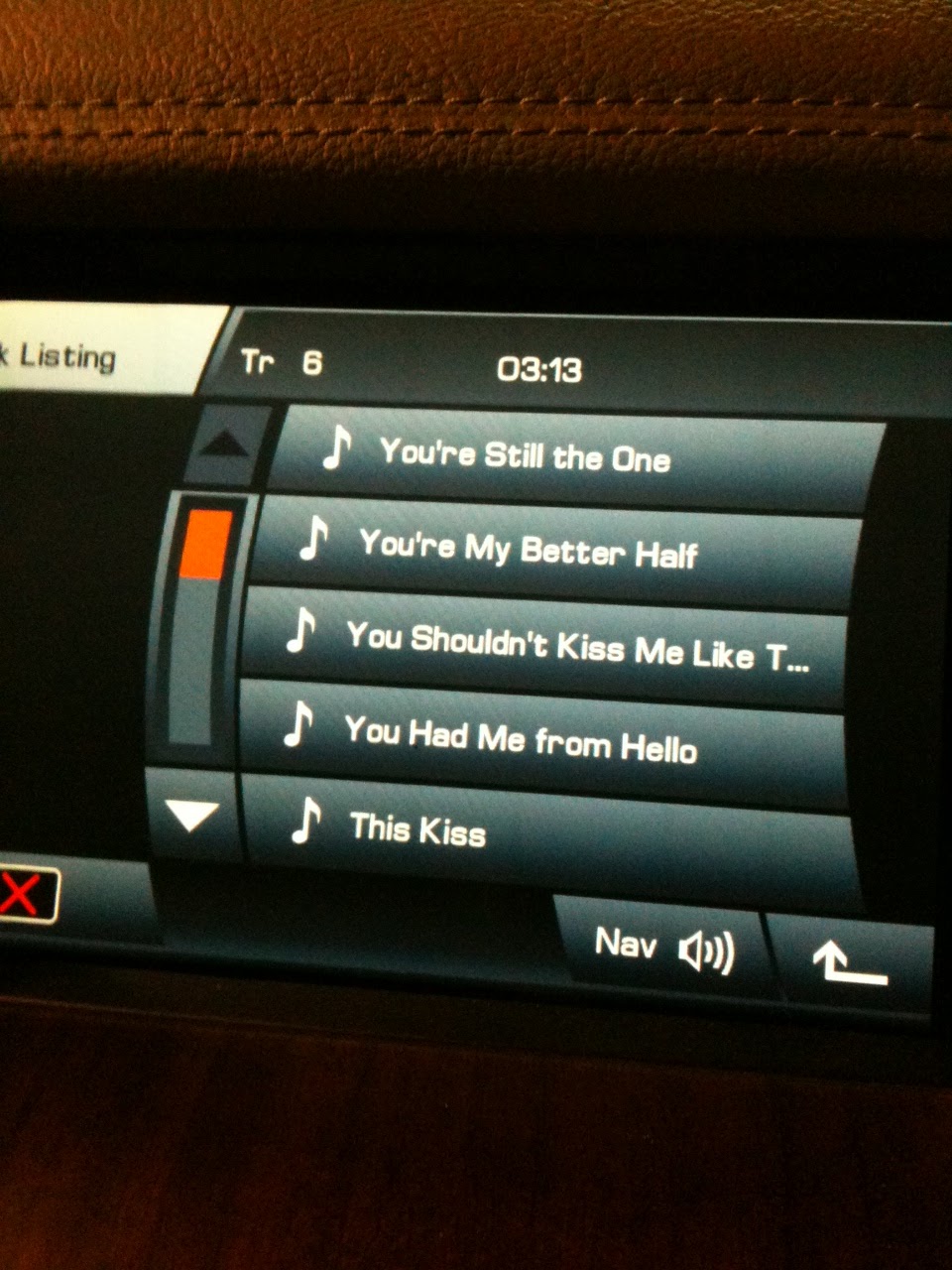
Another connector in the center console is for a direct connection for a memory stick. We have one on order and I will let you know in a future blog or comment on this blog how that works out for storing music and using with the dash display.
I also tested the ability to use my iPhone while connected to the audio connector. It worked great - I was able to play songs, make phone calls using the dash display Phonebook and buttons to call out and to also receive a call. The song mutes while you are on the phone and then once you hang up or disconnect then the song is resumed. If you want to run another app or browse the internet with your iPhone while music is being played through your car speakers, you can do that too!
Additionally - The iPhone also charges while it is connected via the audio connector cable!
The car has some other cool features like auto dimming 'your bright' headlights when other cars approach on highway, a pretty good navigation system, HD radio, satellite radio capability, single CD player and front/rear and side cameras for aids in parking and backing up.
Overall, I am pleased with the improvements and the noticeably more stable ride. Looking forward to a journey to test all the features. My husband is anxious to take it into rock climbing mode. Tweet
Subscribe to:
Posts (Atom)